ChatGPT Dots vs Claude (OpenAI Dots)
ChatGPT Dots (OpenAI Dots) vs Claude: always-on cloud coworker vs unified chat+agent for docs, slides, schedules—computers, approvals, pricing, and when to pick each.
Snapshot
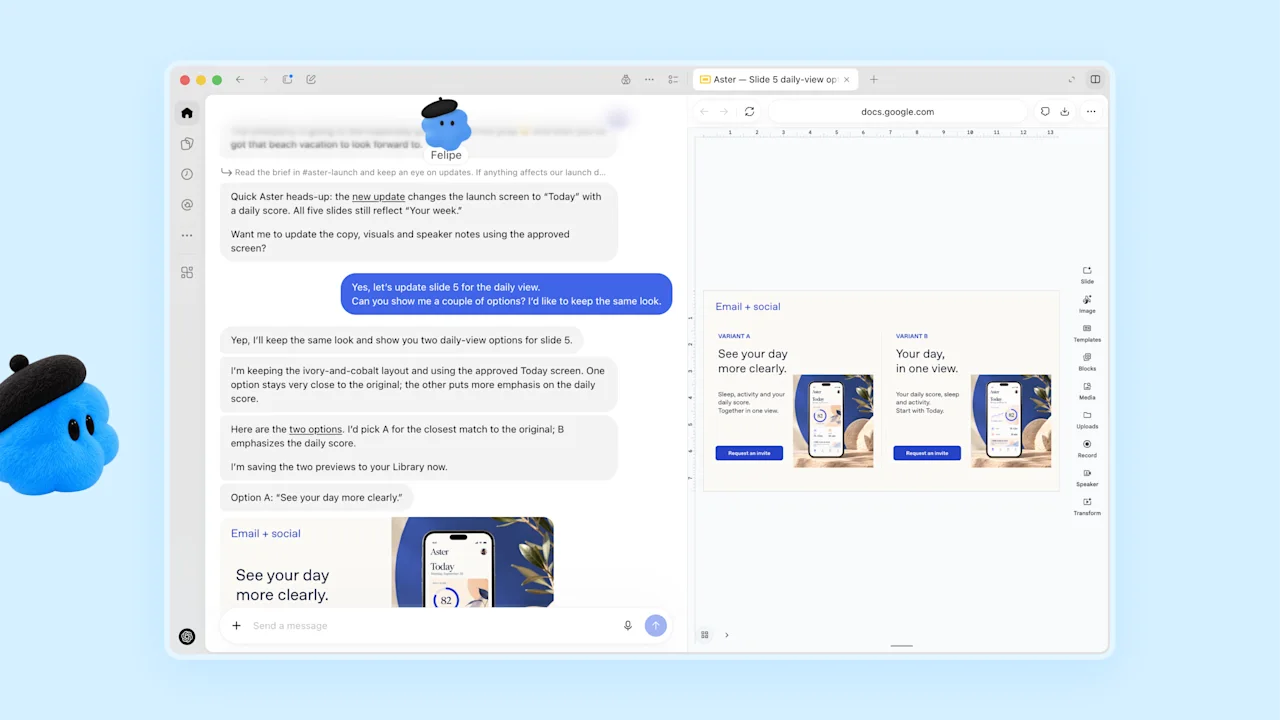
ChatGPT Dots (OpenAI Dots) and Claude (Anthropic) both take work past a single chat—handoffs, schedules, files, and tools—but they are different product shapes. Dots is a managed always-on personal agent inside ChatGPT with its own cloud computer. Claude is Anthropic’s unified assistant (chat + former Cowork) that you point at tasks, docs, slides, and connectors, with strong “ask before acting” defaults.
For other always-on comparisons, see Dots vs Grok Bot · Dots vs Meta Muse · Dots vs Cursor Projects · Dots vs Codex vs ChatGPT Work. Dots setup: getting started · features.
Product framing
- ChatGPT Dots — Always-on agent in ChatGPT; you give a responsibility, sources, and a definition of done; it keeps making progress between conversations and asks when a decision needs you. Official materials: GPT-6 Astra, per-Dot cloud computer + browser, plugins into thousands of apps, Slack/Teams messaging, optional connect of one personal computer, can start or manage Work and Codex tasks.
- Claude — Anthropic’s assistant for questions and longer handoffs. Official Anthropic materials (Sep 2026) say Claude Cowork and chat are merging into one Claude so you do not pick a separate “agent tab”; Claude Docs and Claude Slides are new (beta on paid plans), and Claude Design works inside conversations. Claude can keep working after you close your laptop, run scheduled tasks, use connectors/browser/computer tools, and—by default—ask before taking an action.
Indie write-ups (not official product docs) often frame this as “managed always-on cloud coworker” vs “on-demand workplace assistant that finishes the job in front of you.” Treat those as framing only; product facts below follow OpenAI and Anthropic primary pages.
Where you work day to day
- Dots: ChatGPT desktop app or desktop browser (
chatgpt.com/dots); after setup, the same Dot in the mobile app when supported (mobile web is not supported for creation). Message or call in ChatGPT; also Slack and Microsoft Teams. Context carries across those channels while messages stay in their respective surfaces. - Claude: Claude on web, desktop, and mobile; Claude in Chrome; Claude for Microsoft 365; Claude Tag in Slack (beta on Team/Enterprise per product page). Desktop app reaches folders and apps on your own computer that web/mobile cannot. Files you make (Docs/Slides/Design) can live at a shareable link.
If ChatGPT (and Slack/Teams around it) is already home for knowledge work and coding handoffs, Dots inherits that surface. If your day is docs, decks, connectors, and Claude Code, Claude is the native cockpit.
Always-on vs on-demand handoff
- Dots: Continuity between chats is the product default. Assign a responsibility; the Dot tracks progress, can decide when to follow up, and supports scheduled check-ins (time zone + end date). The managed cloud computer keeps going without you building a harness.
- Claude: Official merge post: bring a quick question or hand over a report due at noon, and Claude takes it from there—even after the laptop is closed. Pro plans list hand off and schedule tasks; you can set standing schedules (for example a Monday report). Default behavior is to ask before acting; you can loosen check-ins if you prefer Claude to keep working and surface only closer reviews.
Indie testing often says Claude feels faster for the task in front of you, while Dots’ clear edge is a managed agent that stays on without extra setup. That speed claim is indie testing, not an official Anthropic or OpenAI benchmark.
Computer, browser, and files
- Dots: Per-Dot cloud computer and browser. Optional connect of one personal computer (online + ChatGPT app open). Cloud sessions stay separate from your personal browser; site sign-in uses private request or Take over. Plugin permissions are shared with ChatGPT / Work / Codex within what you granted.
- Claude: Web search, connectors (including MCP apps), files/folders on the desktop, browser use (Claude in Chrome + built-in browser), and computer use (see and use your screen, beta per product page). Claude Docs / Slides / Design produce editable documents, decks, and visuals you review, present, or download (for example PowerPoint/PDF). Claude Code covers coding workflows on paid plans.
Both can act on the web and produce finished files. Neither replaces human review on consequential changes.
Continuity, memory, and scheduling
- Dots: Continuity across ChatGPT conversations is the default rhythm. Responsibilities, Scheduled check-ins, Activity View for delegated Work/Codex tasks, Pause / Scheduled stop controls. Proactive research on connected apps is described as read-only; consequential follow-ups still need permission.
- Claude: Memory across conversations, Projects for context/files, Skills you can save and share, scheduled tasks on eligible plans, and connectors that keep workplace tools in reach. After the Cowork merge, agentic capabilities are available from any conversation with the context, skills, and connectors you already have (rolling out Pro/Max first; Team/Free later; Enterprise admins get at least 30 days’ notice per Anthropic).
Approvals and control (public docs)
- Dots: Built-in safeguards, Auto-review against instructions / Custom Rules / safety requirements, plugin and computer permissions, Pause and Activity controls. Sensitive steps stay with you. OpenAI states Dots can still make mistakes—review consequential work.
- Claude: Product page and merge post: by default Claude asks before taking an action; you can redirect or stop anytime. Permissions settings can show a plan and wait for approval; access is limited to folders/tools you allow; Team/Enterprise get admin controls, spend limits, and activity streaming options as published.
Pricing and access (as published)
- Dots: Rolling out to eligible Pro tiers (plan/region gates apply; Learn lists Pro 100/200/500 with age and market notes—Pro excludes EEA/Switzerland/UK per published Help), Business Premium, and Enterprise when a workspace admin enables Use dots (Beta). First Dot included with eligible plans; Dot conversations do not count toward ChatGPT message limits; Work/Codex metering applies when the Dot starts or manages those tasks. Details: pricing · availability.
- Claude: Free, Pro (~$20/month or ~$17/month billed annually per Anthropic pricing), Max (from $100/month with 5x or 20x Pro usage), Team, and Enterprise. Hand off / schedule tasks and Claude Design/Slides/Docs are listed on Pro+. API and model pricing (Sonnet/Opus/Fable and others) is separate on the same pricing page—re-check before buying.
Re-check both vendors’ current plan pages before buying or rolling out; this page does not replace them.
When to pick which
- Pick ChatGPT Dots (OpenAI Dots) if you want a managed always-on personal agent inside ChatGPT—cross-app responsibilities, Slack/Teams, optional Work/Codex handoff—without building your own harness, and your plan/region is eligible.
- Pick Claude if you want Anthropic’s unified chat+agent surface for docs, slides, connectors, scheduled workplace tasks, Claude Code, and a default ask-before-acting workflow that is broadly available on Claude plans.
- Use both when that matches your stack: Dot for ChatGPT-native continuity and coding handoffs; Claude for document/deck-heavy loops and connector workflows. They are not the same product surface—do not expect one to replace the other.
Related: Dots vs Grok Bot · Dots vs Meta Muse · Dots vs Cursor Projects · Dots vs Codex vs ChatGPT Work.
Related: Dots vs Custom GPTs / Projects.
Sources
OpenAI Introducing dots, Meet dots (Learn), Getting started / Help, Dots feature page, computers/apps and controls Learn pages, Work/Codex usage notes; Anthropic Claude product page, Claude pricing, and “Claude Cowork and chat are now one Claude.” Indie framing only: Julian Goldie Dots vs Claude, Layer3Labs Dots alternatives—label as non-official. Re-check before buying or rolling out.
Sources & further reading
- Meet dots · Access ↗
- Introducing dots · OpenAI ↗
- Getting started with your dot · Help Center ↗
- Get started with your dot ↗
- Dots feature page · ChatGPT ↗
- Connect computers and apps to your dot ↗
- Message your dot ↗
- Manage your dot ↗
- Tasks and memory ↗
- Managing usage with GPT-6 Astra in Work and Codex · Help Center ↗
- Dots privacy, security, and safety FAQs · Help Center ↗
- About ChatGPT Pro tiers · Help Center ↗
- Claude product page · Anthropic ↗
- Claude pricing · Anthropic ↗
- Claude Cowork and chat are now one Claude · Anthropic ↗
- ChatGPT Dots vs Claude (indie framing) · Julian Goldie ↗
- ChatGPT Dots alternatives (indie framing) · Layer3Labs ↗